Quickstart Guide
Quick Start
This guide will help you build your first API with Okapi in just a few minutes.
Hello World
Create a file named main.go:
package main

import (
    "github.com/jkaninda/okapi"
)

func main() {
    o := okapi.Default()

    o.Get("/", func(c *okapi.Context) error {
        return c.OK(okapi.M{
            "message": "Hello from Okapi Web Framework!",
            "License": "MIT",
        })
    })

    // Start the server
    if err := o.Start(); err != nil {
        panic(err)
    }
}
Run your server:
go run main.go
Visit http://localhost:8080 to see the response:
{
  "License": "MIT",
  "message": "Hello from Okapi Web Framework!"
}
Simple HTTP POST
Let's create a more complex example with request validation:
package main

import (
    "github.com/jkaninda/okapi"
    "net/http"
)

type Response struct {
    Success bool   `json:"success"`
    Message string `json:"message"`
    Data    Book   `json:"data"`
}

type Book struct {
    Name  string `json:"name" maxLength:"50" minLength:"5" required:"true" description:"Book name"`
    Price int    `json:"price" min:"1" max:"100" required:"true" description:"Book price"`
}

type ErrorResponse struct {
    Success bool   `json:"success"`
    Status  int    `json:"status"`
    Details any    `json:"details"`
}

func main() {
    // Create a new Okapi instance with default config
    o := okapi.Default()

    o.Post("/books", func(c *okapi.Context) error {
        book := Book{}
        err := c.Bind(&book)
        if err != nil {
            return c.ErrorBadRequest(ErrorResponse{
                Success: false,
                Status: http.StatusBadRequest,
                Details: err.Error(),
            })
        }
        response := Response{
            Success: true,
            Message: "This is a simple HTTP POST",
            Data:    book,
        }
        return c.OK(response)
    },
        // OpenAPI Documentation
        okapi.DocSummary("Create a new Book"),
        okapi.DocRequestBody(Book{}),
        okapi.DocResponse(Response{}),
        okapi.DocResponse(http.StatusBadRequest, ErrorResponse{}),
    )

    o.Get("/books/{id:int}", func(c *okapi.Context) error {
        bookId := c.Param("id")
        return c.JSON(200, okapi.M{"book_id": bookId})
    })

    // Start the server
    if err := o.Start(); err != nil {
        panic(err)
    }
}
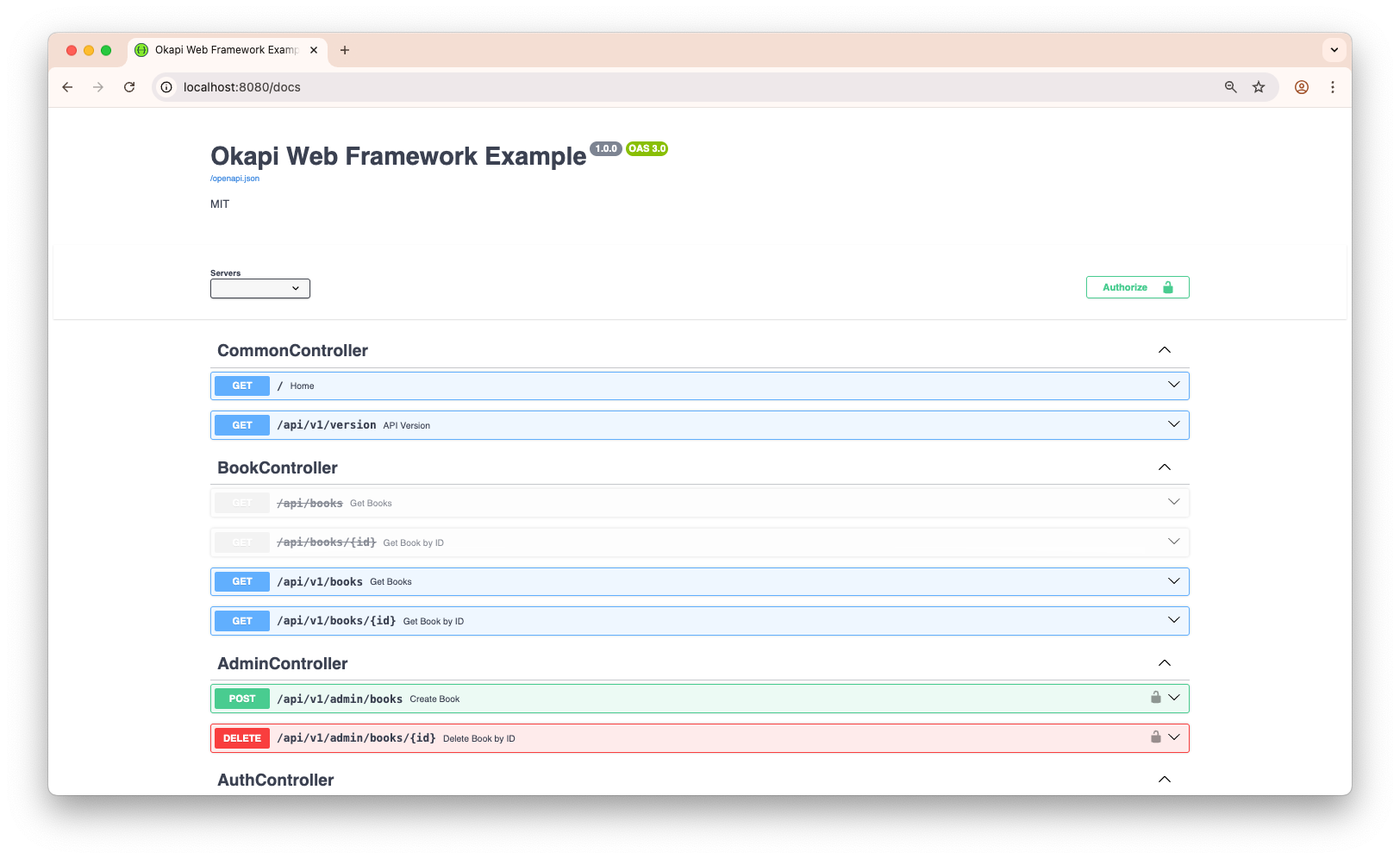
Interactive API Documentation
Now go to http://localhost:8080/docs to see the interactive API documentation generated by Okapi.
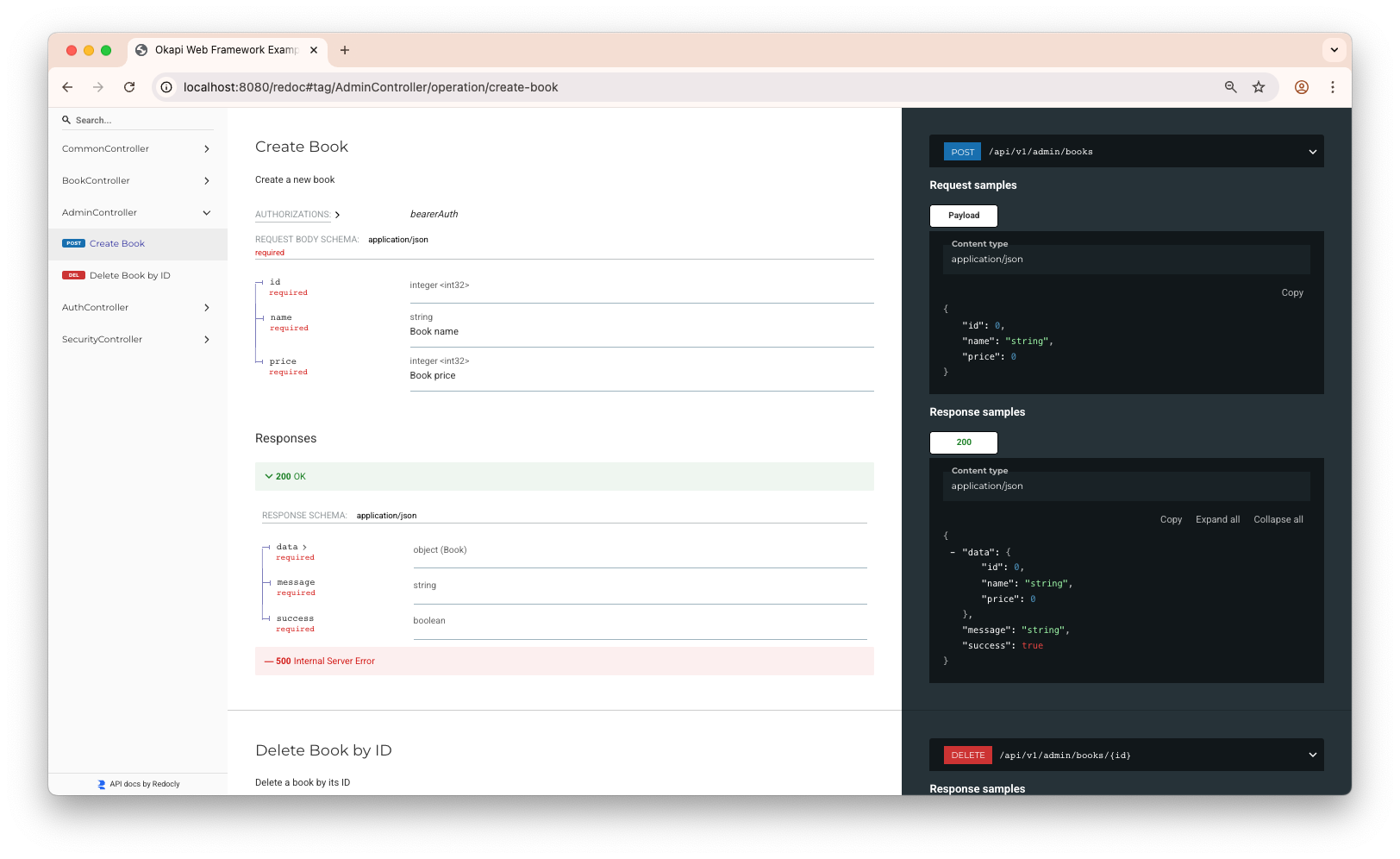
Alternative API Docs
Visit http://localhost:8080/redoc to see the Redoc documentation.
Next Steps
- Learn about Routing
- Explore Request Handling
- Understand Middleware